Your phone won't hold a charge anymore. Your cable wiggles loose. The "charging" icon flashes on and off. Before you panic about a hardware fault, check the most common culprit, a charging port packed full of lint.
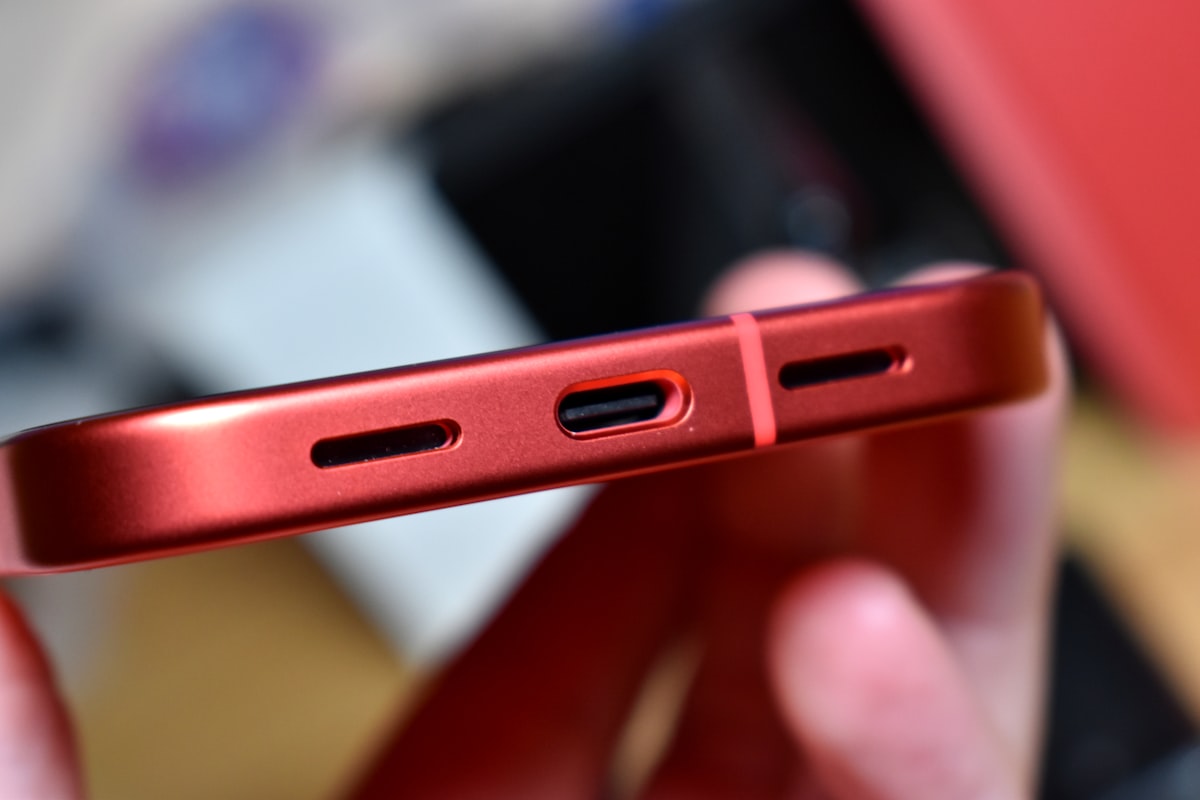
Modern phones live in your pocket or bag, and small fibres of dust and lint inevitably accumulate inside the charging port. Over time, this debris compresses into a felt-like layer that physically prevents the cable from making proper contact with the connector pins.
This whole process takes under 5 minutes once you've got the right tools, and saves a trip to the repair shop.
Power Off Your Phone First
Always shut down your device before poking anything inside the port. This protects the delicate contact pins from short-circuiting and protects you from the (small) risk of static damage.
Tools You'll Need
A metal toothpick, safety pin or paperclip will scratch or bend the contact pins inside the port, leading to a charging port replacement that costs far more than a $5 brush.
- A wooden toothpick or plastic interdental brush, the small disposable kind
- A can of compressed air, held upright, never inverted
- A flashlight to see what you're doing
The Cleaning Process
- Look inside, Shine the flashlight into the port. Most phones reveal a small grey or brown puck of compressed lint pressed against the connector.
- Run the toothpick around the perimeter, Gently insert it along the inside edge of the port (not directly into the pins). Work the toothpick around, pulling debris toward the opening.
- Lift out the debris, Inspect what comes loose. Repeat until the port looks clear.
- Short burst of compressed air, From about 15 cm away. Keep the can upright to prevent liquid propellant spraying inside.
- Test the cable, Plug in and see if it now sits firmly. If yes, you're done.
When To Call A Professional
If you've cleaned the port and your phone still won't charge reliably, the issue is likely deeper:
- Bent pins inside the connector, physical damage that requires replacement
- A worn or frayed charging cable, try a different cable first
- Liquid damage, corrosion on the contacts after water exposure
- A faulty charging IC on the logic board, board-level repair
At SidekickMobile we can replace a charging port in most phones the same day with a full warranty. Drop in or call 0490 187 440.